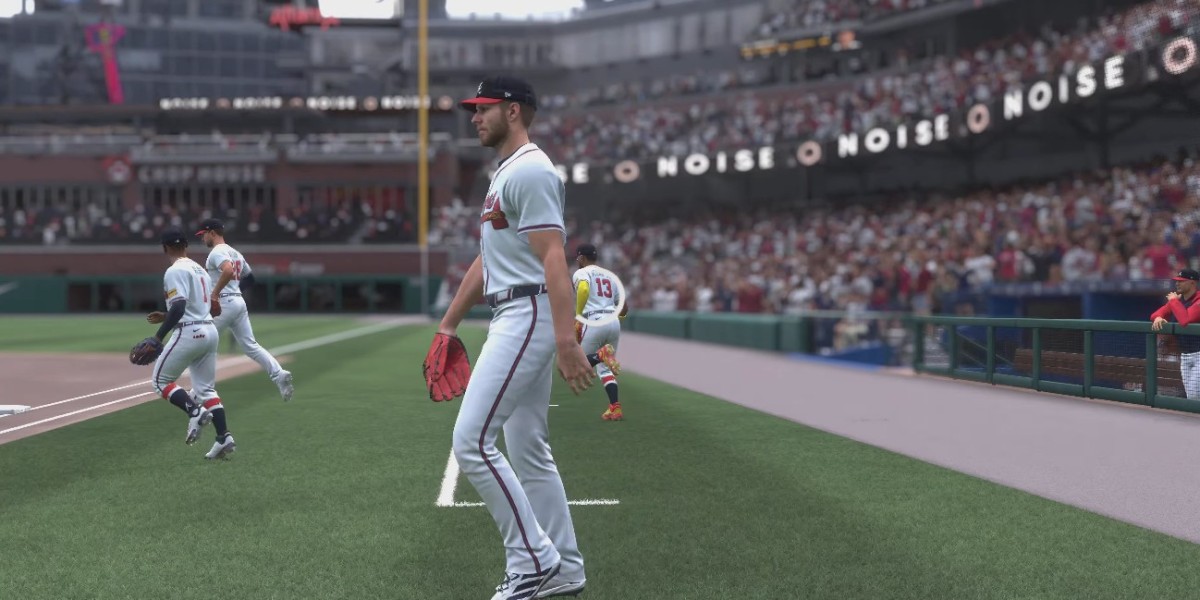
If you love customizing your MLB The Show experience, adding created players to your roster is one of the most satisfying things you can do. Whether it’s a super-rare prospect, a legend in the making, or just a fun “fantasy” player, having control over who takes the field gives you a personal touch on your Franchise. In MLB The Show 26, the game engine treats custom players a bit differently, so following a careful sequence will save you headaches and keep your rosters intact. Here’s a guide to make the process smooth and stress-free.
Step-by-Step Setup
- Create the Player
Start at the main menu under the Create tab. Choose Roster Control, then Create Player. Here, you can customize the player’s name, appearance, positions, and even signature animations if you want them to feel unique. - Maximize Initial Attributes
Pro Tip: Pump your player’s attributes up to a 99 OVR when first creating them. This makes them easy to spot in the Free Agent pool later. Don’t worry—you can always dial them down to realistic ratings after placing them on a team. - Send to Free Agency
Save the player into the Free Agent Pool and save your roster file. This is the crucial first step before moving them onto your team. - Move to Your Team
Head back to Roster Control and select Player Movement. Find your created player in the Free Agent list and swap them onto your desired MLB or minor league team. A common trick is to replace a low-level Class-A player you won’t use, keeping your overall roster depth intact. - Save the Custom Roster
Go to Data Utility, save the updated roster with a clear name, and make sure it’s loaded as your active roster. This ensures your changes stick and won’t reset when you start a new mode. - Launch Franchise Mode
Start a new Franchise and explicitly choose “Use Custom Roster” or “Currently Active Roster.” Your created players will now be part of the team from Day 1.
Franchise Mode Balance Strategies
Adding custom players is fun, but a little planning goes a long way:
- Watch the Potential Bug
Filling your roster with multiple 99-potential players may break the CPU’s trade and free-agent logic after a few seasons. Spread out ratings to avoid crashing your simulation. - Manage the Budget
High-rated created players can trigger massive contract demands. For realistic Franchise play, assign modest starting contracts during creation to avoid early luxury tax penalties. - Use the Roster Vault
If you don’t want to make every player from scratch, check the Roster Vault. Community creators like Jesse and turdburgaler432 upload daily custom rosters, often including missing prospects and balanced custom players ready to drop into your Franchise.
Adding created players is one of the most rewarding ways to personalize MLB The Show 26. With careful planning and a few smart steps, you can build a roster that’s truly your own—whether you’re chasing realism or just having fun with fantasy lineups.